GUIDE TO FLASH ALCATEL PIXI 4 4034F MARSHMALLOW 6.0 FREE FIRMWARE DOWNLOAD

PRE-REQUISITE
This is for Alcatel PIXI4 4034F.
*Your device must have 70% Of battery.
*You need a Laptop or PC to perform this Action.
*Download the right firmware for Pixi4 from the link bellow.
*Back Up your Data to make sure you have data’s in case if something Wrong
(This Process won’t loose your data)
(This Process won’t loose your data)
*Make sure you have followed the steps properly. Don’t Skip and Read!
* We are not responsible for any damage that you make to your Phone.
WHY YOU NEED TO FLASH YOUR PHONE!!
You need this firmware/stock rom if you have encountered this kind of problem in your Smartphone Listed Below:
1.Hang in logo
2.Rebooting
3.Bootloop
4-Virus Apps
5-Deadboot Recovery
6-Frp (Factory Reset Protection)
6-Frp (Factory Reset Protection)
Remarque: For Frp unlock use format+download instead download only
All needed partitions are there.
*Avoid to flash Boot files & Preloader if your phone is not dead
check only system, userdata, cache & unckeck other files.
*If you have deadboot or bootloop check all files.
How to know if the phone had a hard problem (Emmc problem)??
if the phone hang on logo after flash.
with the firmware file given you will avoid deadboot
All needed partitions are there.
*Avoid to flash Boot files & Preloader if your phone is not dead
check only system, userdata, cache & unckeck other files.
*If you have deadboot or bootloop check all files.
How to know if the phone had a hard problem (Emmc problem)??
if the phone hang on logo after flash.
with the firmware file given you will avoid deadboot
INFO:
Wait for phone...
Phone found! [ 24 ]
Sync...
Inital Boot Ok!
BB_CPU_PID : 6580
BB_CPU_NME : [MediaTek] MT6580_S00
BB_CPU_EXT : 0xCA00 , 0x8A00 , 0x0000
Processing BROM stage
Settings for BROM configured!
SecCfgVal : 0x00000000
BromVer   : 0x00FF
BLVersion : 0x0001
PreLoader : Active [ Boot with PL ]
BootLdrSS : NORMAL with PRELOADER
Processing DA stage
DA Select done, will use MTK_AllInOne_DA_v5.1624.16.07
Sending and initialize DA ...
Running DA ver.4.2 on BBID : 0x94
NAND Flash : NOT INSTALLED
eMMC Flash : 11010030303847373000C99549CE63D5
Initialize Memory ...
DRAM already initialized by Preloader
DAgent sent , init HW now
eMMC FlashIC initialized
[eMMC] : FLASH_VEN : 0x11 , OEM : 0100
[eMMC] : FLASH_INF : [TOSHIBA] , 07G80
[eMMC] : FLASH_CID : 11010030303847373000C99549CE63D5
[eMMC] : FLASH_BRT : 0x00400000 , 0x00400000 , 0x00400000
[eMMC] : FLASH_LEN : 0x00000001D2000000
[eMMC] : FLASH_UCP : 7456 MiB [eMMC 8 GiB]
DEV RID    : 0xECD5AB9A7DF4F037F6AD92BCE8E470EC
INT RAM    : 0x00020000
EXT RAM    : 0x40000000 [1 GiB]
BOOT TYPE  : EMMC_FLASH_BOOT
SOC VERIFY : C1
Boot Ok!

Reading Flash Content now ...

xGPT : Normalize settings Ok!


[Read Ok] : preloader_pixi4_4_8g1g.bin
[Read Ok] : lk.bin
[Read Ok] : logo.bin
[Read Ok] : boot.img
[Read Ok] : recovery.img
[Read Ok] : secro.img
[Read Ok] : system.img
[Read Ok] : cache.img
[Read Ok] : userdata.img

[ScatCFG] : MT6580 / V1.1.2 / pixi4_4_8g1g / EMMC
Android Info saved
HWConfig Info saved
FW Size : 1731 MiB
Scatter saved to : C:\Users\RAWANE\Desktop\MT6580______\password: www.dzgsm.com
*This Firmware partitions is all you need to repair the phone software problems

DOWNLOAD FLAASH TOOL:
DRIVERS DOWNLOAD LINK:
HERE
Or
FROM HERE
Fellow Video Instructions:
↧↧↧
Same Method as Doogee X6 Marsmallow 6.0
How To Flash Via SP FLASHTOOL?
- A Computer PC Run Windows XP or above
- Usb data cable (not a generic cable)
- Mtk usb drivers installed manually, you will find instruction bellow
- Your Mtk Smartphone Face a soft issue
- Original stock rom (you can find it above in download section)
- The latest SP Flashtool version
2-How to install VCOM Drivers:- Open device manager from my PC or my computer.
- Click on any item and go to actions > Add legacy hardware
- Now, press next and select install drivers manually
- Press next and click on have disk
- from the browse option, select VCOM drivers From mtk drivers folder
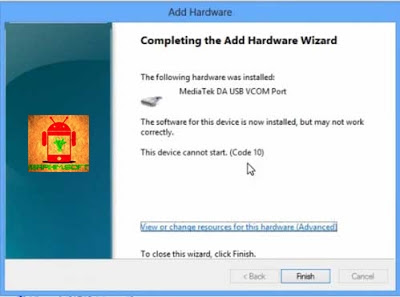
- Once its done. You will see a screen similar to this:
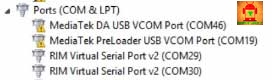
- Once you are done with the driver installation, go to device manager > Ports (COM&LPT) you will find a device similar to this:
 3-How to flash rom using SP Flashtool?:
- Power the phone off, remove the battery from the smartphone and put it back without booting the phone (if the battery is inside then simply switch it off).
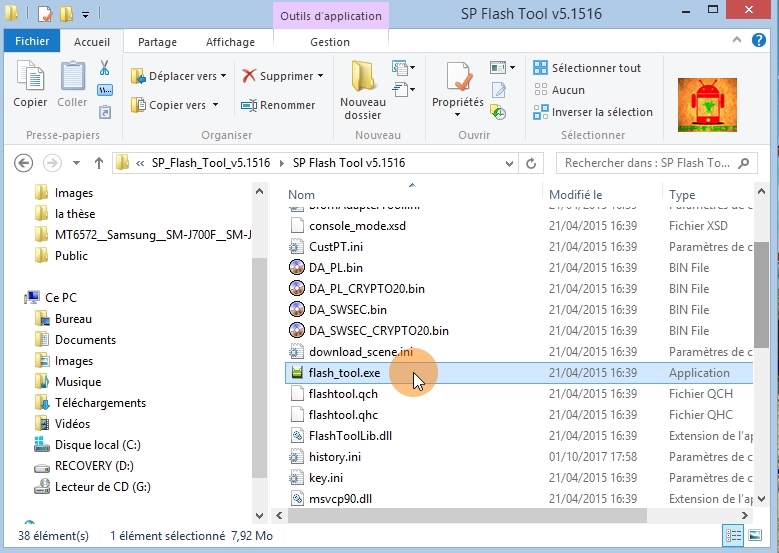
- Launch SP Flashtool
 *Double clicks onFlash_tool.exe
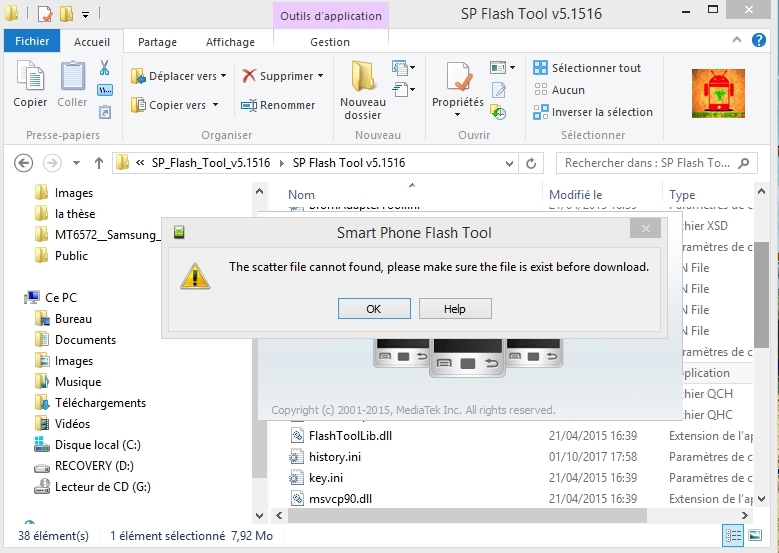
 *Press OK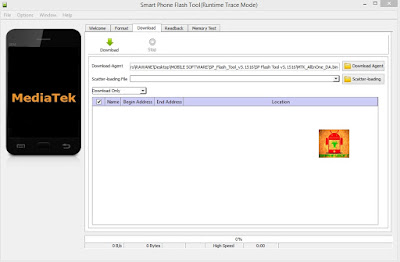
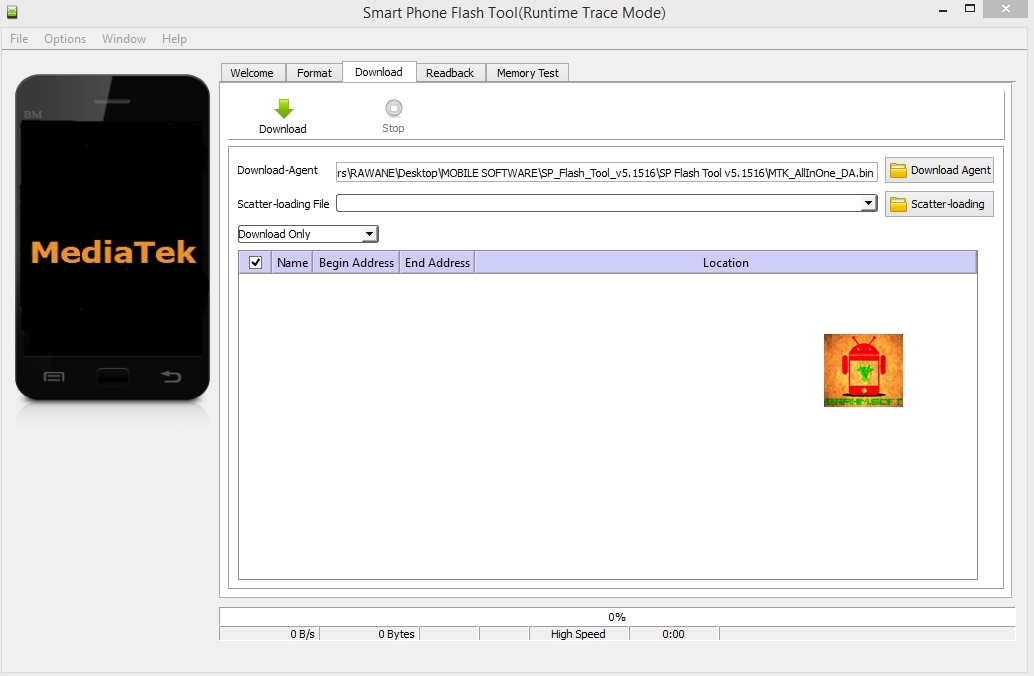
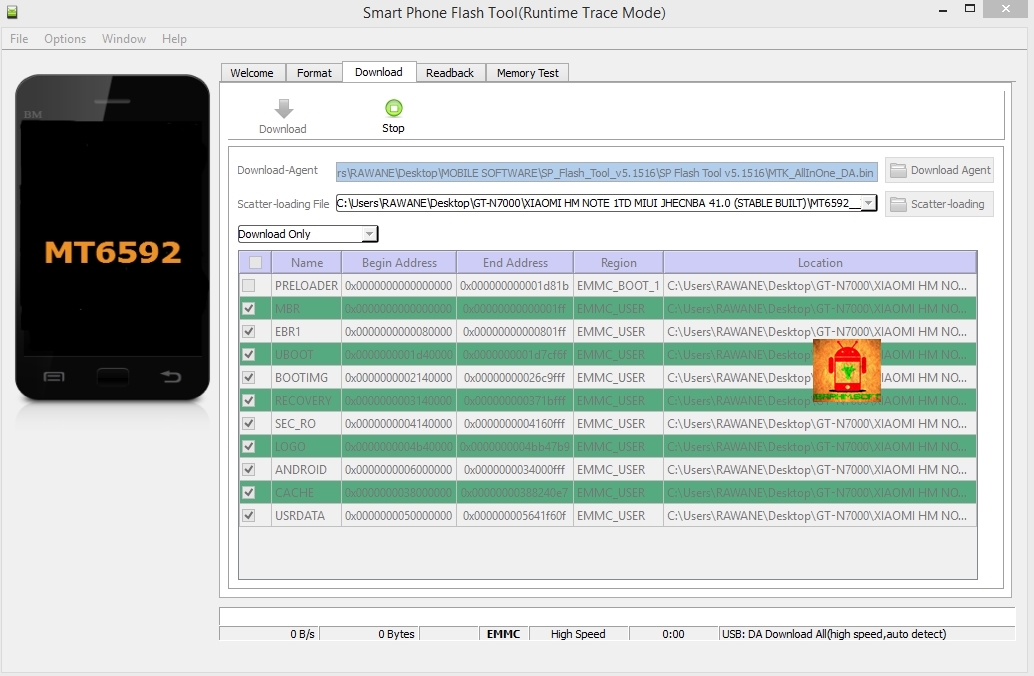
- Click on scatter-loading option and browse to the scatter file of your stock rom choose MTxxxx_android.txt (scatter.txt).
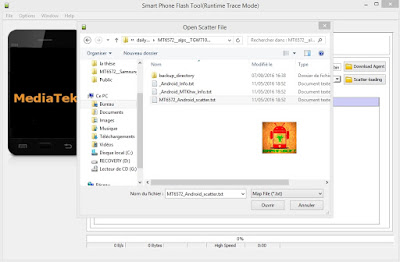

- Dont touch any options, Keep the original setting (In case you want to format device before flash press choose format+download but it'snt recommanded because you will be ended with an EMEI null)
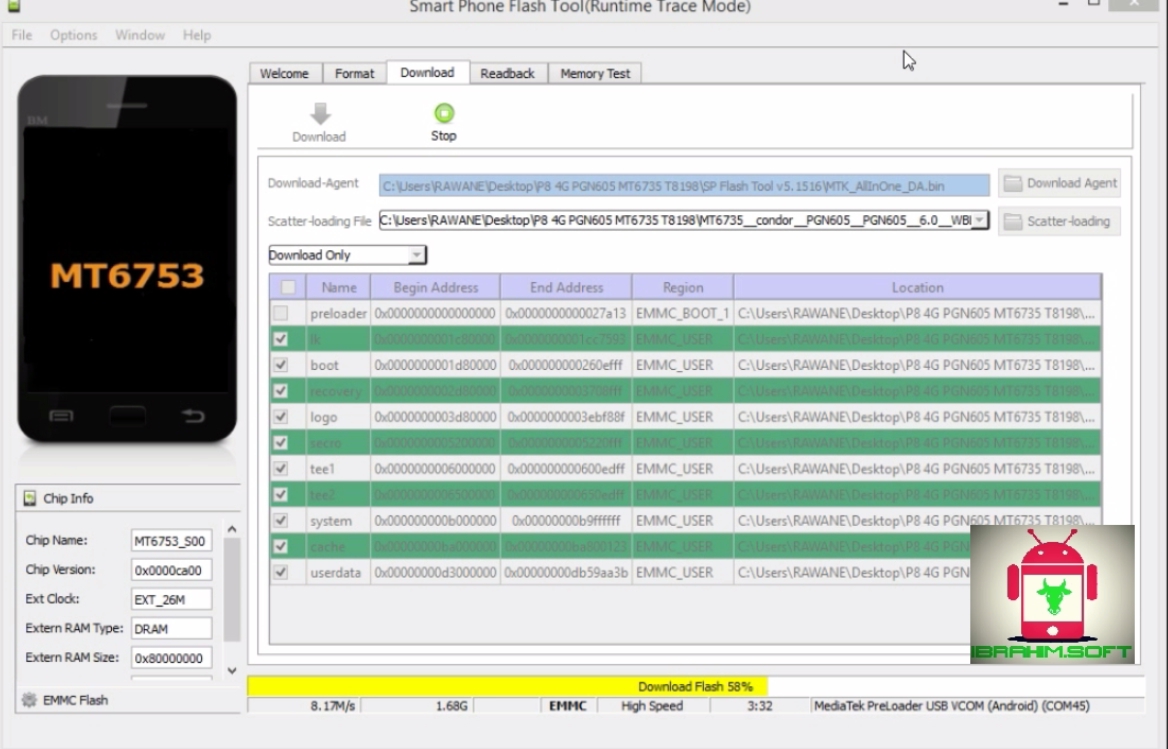
- If you phone is alive and has a software issue (contain virus, Stuck on logo, apps setting problem, blink, or not work as expected) I advise you to Uncheck Preloader as a precaution. On contarary check all pertitions if you have a boot problem (you phone does'nt boot when you try to power on it).

- Once you are done with everything, click on the download button at the top of the software.
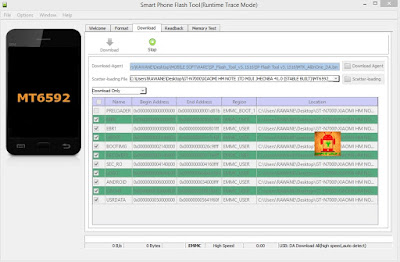 Stop should now be prominent while other options should be grayed out
- Connect your switched off phone with battery inside to PC via Usb cable
- A progressbar should start running

- In the end of an success flash process, a box should show up with green OK symbol inside

- Disconnect the phone, remove the battery, slot it back in then power the phone.




ENJOY.